TrouDigitalPixelGlo
The art of the possible · 2026
Digital experience across the hotel

Radisson RED
Heathrow.

Every screen in the building, working as one. What is possible in each position, and how it all fits together.

Prepared for
Radisson RED Heathrow
Prepared by
TrouDigital & PixelGlo
Document
Options & Opportunities
01 · Introduction

Where We Start.

A joint view from TrouDigital and PixelGlo of what is possible at Radisson RED Heathrow. The starting point is the estate already in the building: the meeting room tablets and the large screens on the ground floor. From there, the same screens can carry live information, wayfinding and promotion.

Where the hotel is today
  • Meeting room tablets outside the meeting spaces
  • Large screens dotted around the ground floor
  • An existing CMS already in place across those screens
  • Mostly static imagery and basic signage today
  • Room for the screens to match the first class feel of the hotel
What the same platform can run
Reception video wallLobby totems and kiosksTouch wayfindingLive flight and transfer boardsHotel directory and daily informationFood and drink promotionMeeting and conference boardsEmergency message on every screen

None of it has to arrive at once. Each one is a content decision later, not a new system.

TrouDigital and PixelGlo together

We work together to deliver first class digital signage projects, bringing the right mix of software, hardware and delivery to each site.

CMS & content
Screens & tablets
Install & project management
Monitoring & support
What this document is

Not a fixed scope or a priced install. It sets out the options available across the hotel, how each position would work, and what the platform can do. Where the hotel starts, and in what order, is something to work through together once the priorities are clear.

TrouDigital × PixelGlo × Radisson RED02 / 14
02 · Overview

What We Are Proposing.

TrouDigital and PixelGlo set out the digital signage options for Radisson RED Heathrow: commercial displays, meeting room tablets, media players, the TrouDigital cloud CMS, remote device management, warranty administration and support. The hotel team runs the content day to day.

The service is designed to run brand campaigns, food and drink promotion, meeting and event information, live flight times, hotel services, wayfinding and emergency notices across the hotel, starting with the screens and tablets already installed.

Hardware is purchased outright. Software and support run on a subscription, so the hotel can publish once to the whole building while each zone keeps its own local message.

What this delivers
  • Take over the existing meeting room tablets
  • Bring the ground floor screens onto one platform
  • Give arriving guests live flight and transfer information
  • Carry events, offers and hotel information on screen
  • Add touch wayfinding and a hotel directory
  • Hold an emergency channel across every screen
By the numbers
5k+
Screens running on TrouDigital worldwide
15 yrs
Building and supporting signage estates
UK
Support desk, hardware supply and installation
24/7
Remote device monitoring on every screen
Trusted by leading brands
TrouDigital × PixelGlo × Radisson RED03 / 14
03 · Software

TrouDigital CMS.

A single browser-based CMS run by the Radisson RED team, covering everything from a brand film on the reception wall down to the schedule on one meeting room tablet. No software to install, no local servers, and no need to call IT to publish something.

CMS Capability
  • Central browser-based management
  • Image, video and web page playback
  • Drag and drop layout builder
  • Portrait and landscape layouts
  • Playlists, zones and split screens
  • Video wall and multi-screen canvas support
  • Content expiry so nothing out of date stays up
  • Duplicate content across multiple screens
  • Media library with folders and search
  • Bulk upload and replace of artwork
  • Screen naming and search across the building
  • Audit trail of who published what
  • Scheduled start and end dates per item
  • Emergency override across every screen
  • Unlimited users at no extra cost
  • Accessible from any browser or location
Content Creation

Templates and apps built in

The hotel builds from locked Radisson templates, or uploads finished artwork from Canva, Adobe or its own designer. Built-in apps cover weather, date and time, social feeds, RSS, web pages and countdowns.

Scheduling

Right content, right time

Dayparting switches between breakfast, check-out, afternoon, evening bar and overnight messaging on its own. Event and conference boards can be set weeks ahead and expire when the event ends.

Targeting

Whole hotel down to one screen

Screens are grouped by zone and by type. One publish can hit every screen in the building, the meeting floor tablets only, the bar, or a single screen in a lift lobby, without rebuilding the content each time.

Access & Governance

User roles, approvals, SSO

Permissions map to the account structure, so a department can be given edit rights to its own zone only, with optional approval before anything publishes. SSO is available on the Enterprise Dedicated Instance to keep login aligned with Radisson directory services.

Asset Register

Every screen and player, tracked

Location and zone, manufacturer and model, display size, serial numbers, media player details and ID, install and warranty dates, mounting type, network method, online status and support history.

Live Data

Screens that update themselves

Flight times, transfer departures, meeting room bookings, group arrivals and weather can be pulled from a feed, spreadsheet or an existing system, so screens change without anyone editing artwork.

TrouDigital × PixelGlo × Radisson RED04 / 14
04 · Governance & Content

Structure & Permissions.

Everything sits in one central account for the hotel, and from there the screens can be split into groups by department, by the team that owns them, or by area. Hierarchy and permissions decide who can publish where, so one person can run the whole estate or each team can look after its own screens.

One Central Account

Hotel
  • Every screen in the building held in a single account
  • Publish to the whole hotel in one action when it needs to be consistent
  • The level the emergency trigger fires from

Split by Department or Area

Optional
  • Screens grouped by who looks after them: front of house, meetings and events, food and drink, marketing
  • Or grouped by area: reception, lobby, lift lobbies, meeting floor
  • A team can be given its own screens without touching the rest of the estate
Users
Named user accounts

Unlimited users, each with their own login, so publishing is never shared through one password.

Roles
Permissions per group

Full admin, edit within one group of screens, or upload only, set per user.

Approval
Optional sign-off

Content can be held for approval before it reaches a screen where that is wanted.

Audit
Visibility of changes

A record of who published what and when, and what is scheduled next.

Content Workflow
Artwork created by the hotel teamUpload to TrouDigitalAdd to playlistScheduleAssign to a zone or screenScreens update automatically

The hotel team produces the artwork (Canva, Adobe, standard image and video assets), uploads it once, and schedules it to any set of screens: the whole hotel, one zone, the meeting floor tablets, or a single screen behind reception.

Typical content across the hotel
Welcome and check-in messagingFood and drink promotionRoom service and breakfast timesConference and event welcome boardsMeeting room availabilityTerminal transfer timesLive flight departuresHotel directory and opening timesLocal London informationBrand and loyalty campaigns
TrouDigital × PixelGlo × Radisson RED05 / 14
05 · Hardware

Display Catalogue.

A range covering every position in the hotel, from a tablet outside a meeting room to a video wall behind reception. All main displays are commercial build with portrait and landscape capability, 3-year manufacturer warranty, all-day operation, scheduled power and remote management.

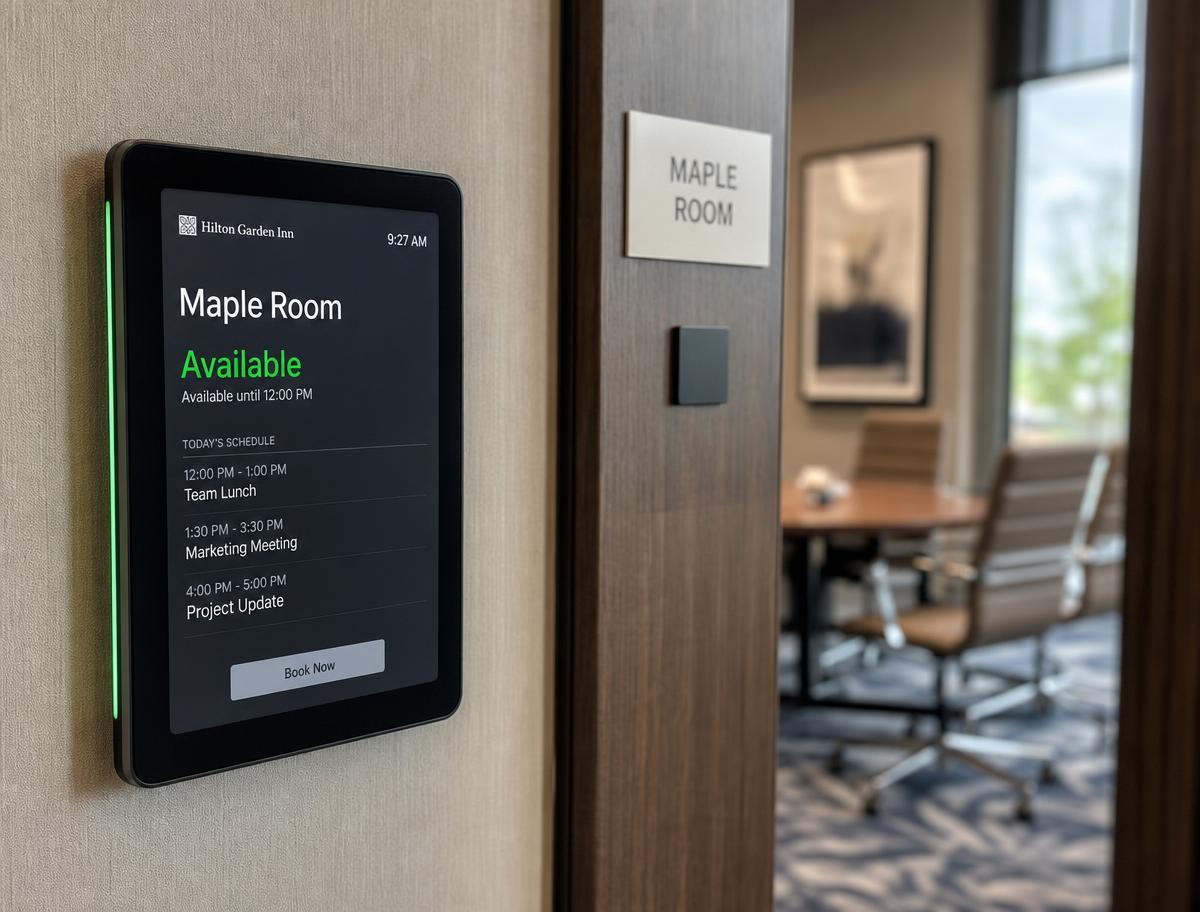
Meeting Room Tablet
Meeting Room Tablet

Small wall-mounted touch tablet beside the door, PoE or mains powered.

Use: Room name, today's schedule, availability and on-the-spot booking outside each meeting room.

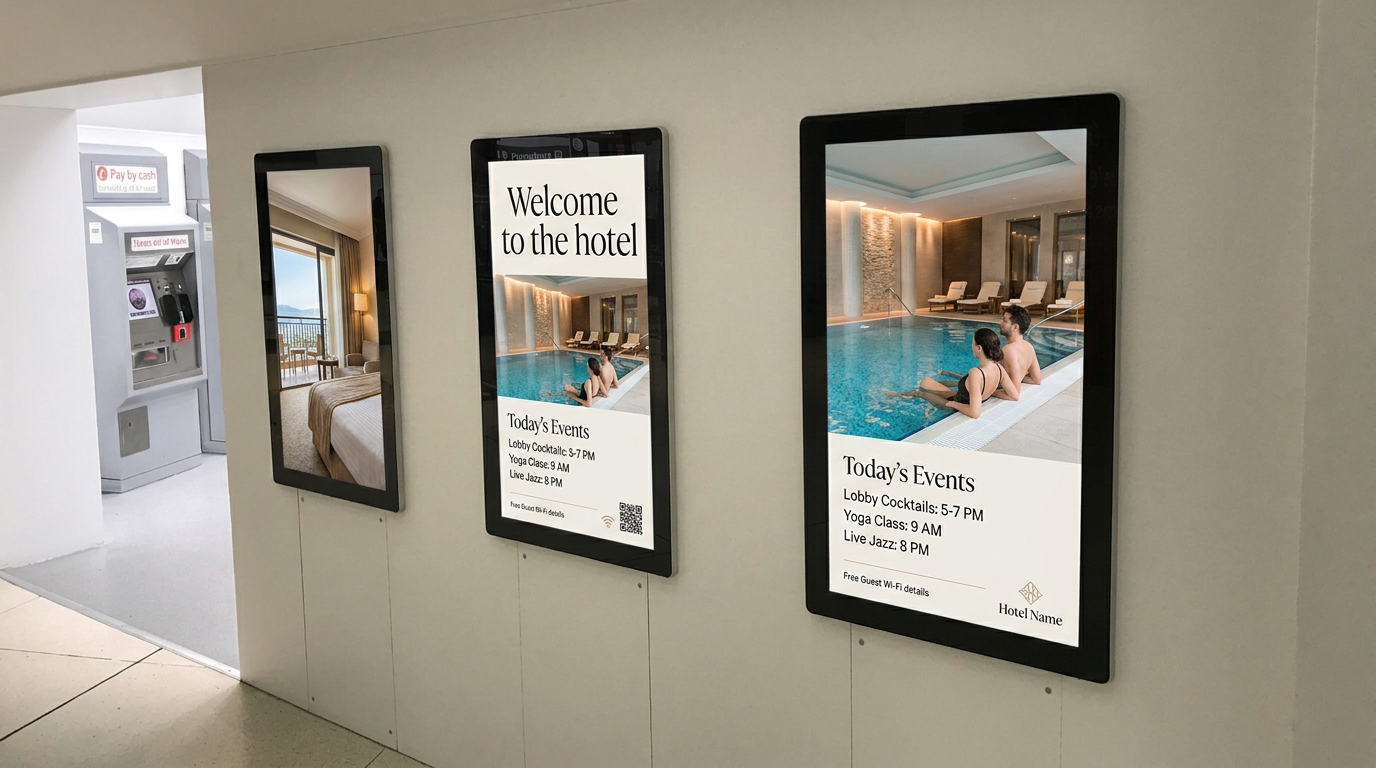
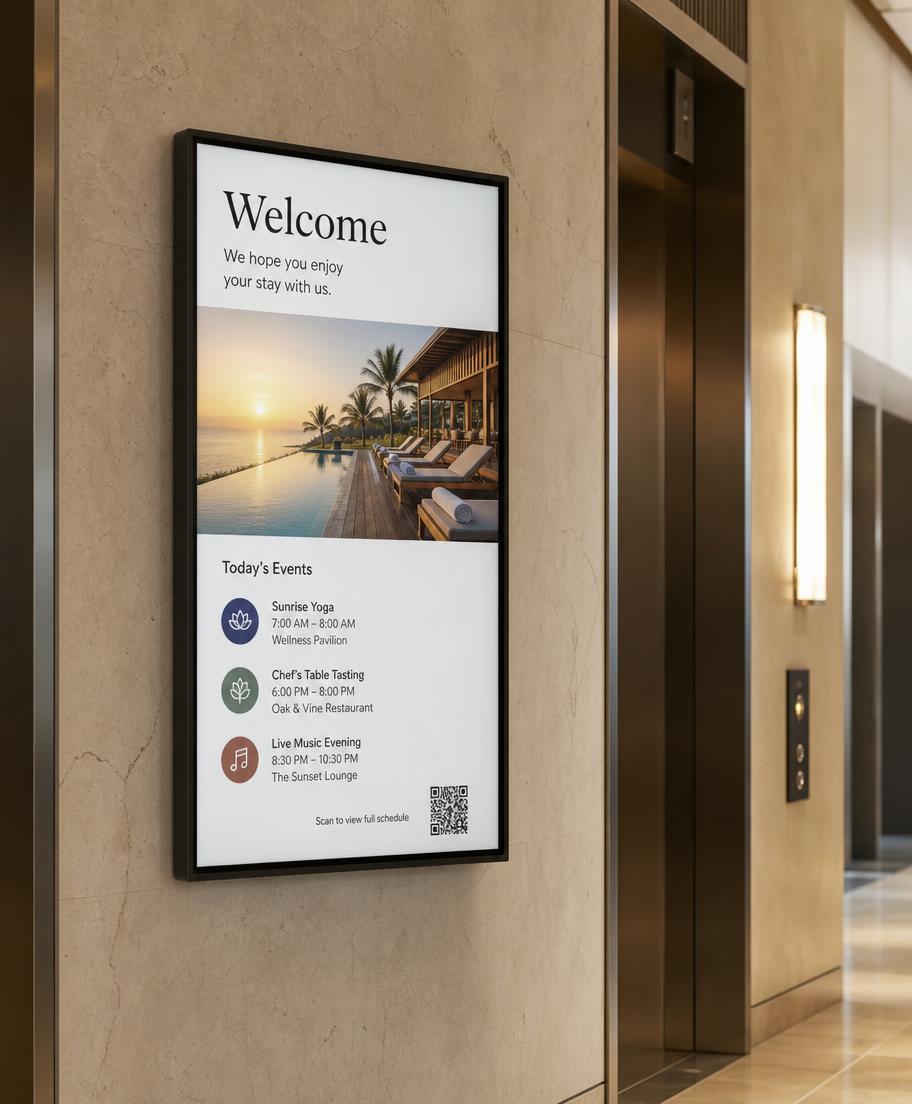
Individual Wall ScreenIndividual Wall Screen
Individual Wall Screen

Commercial display in a range of sizes, landscape or portrait, wall or ceiling mounted with an external media player.

Use: The workhorse position. Lift lobbies, corridors, lobby, restaurant and meeting floor.

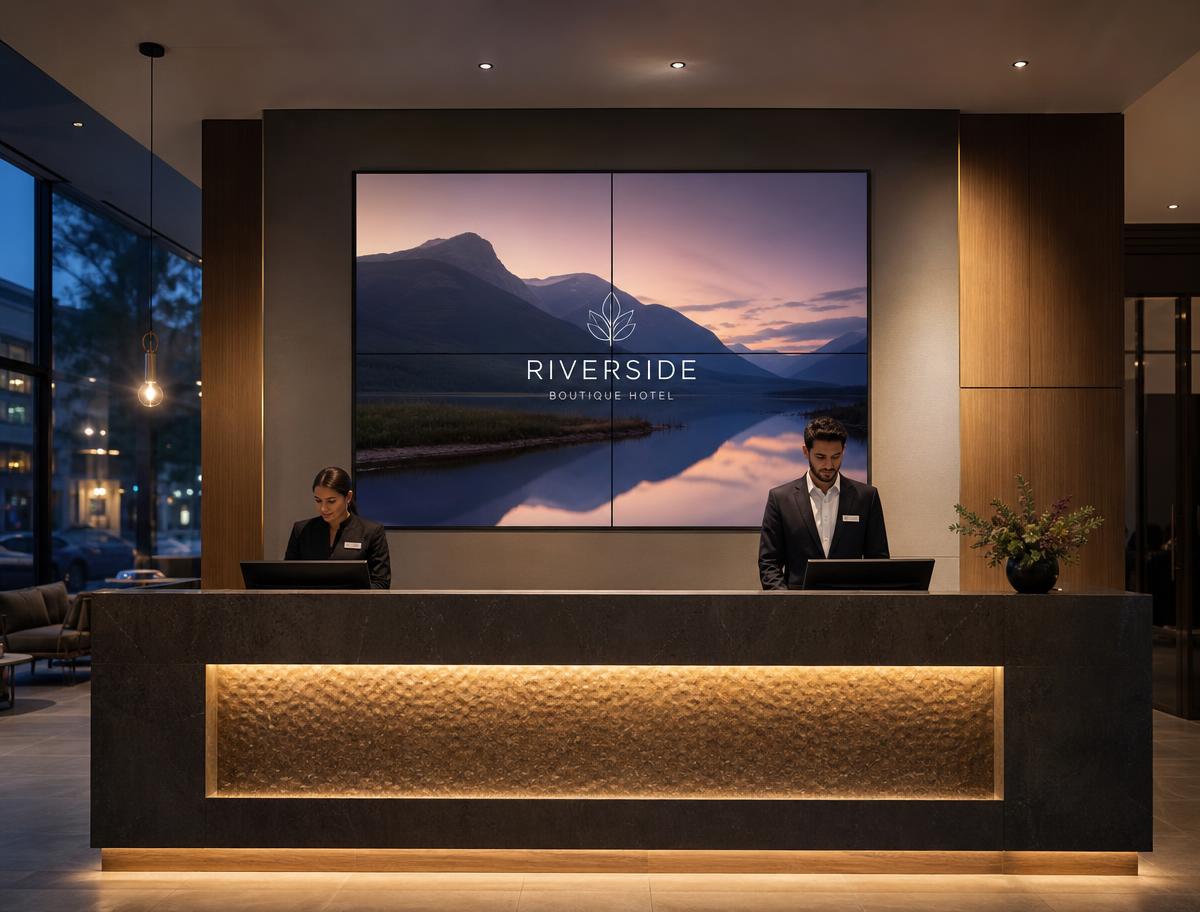
Reception Video Wall

Multiple narrow-bezel screens aligned as one canvas, scaled to as many panels as the wall allows, or a single fine-pitch LED surface.

Use: Behind the reception desk. Brand film, welcome messaging and live information on one feature wall.

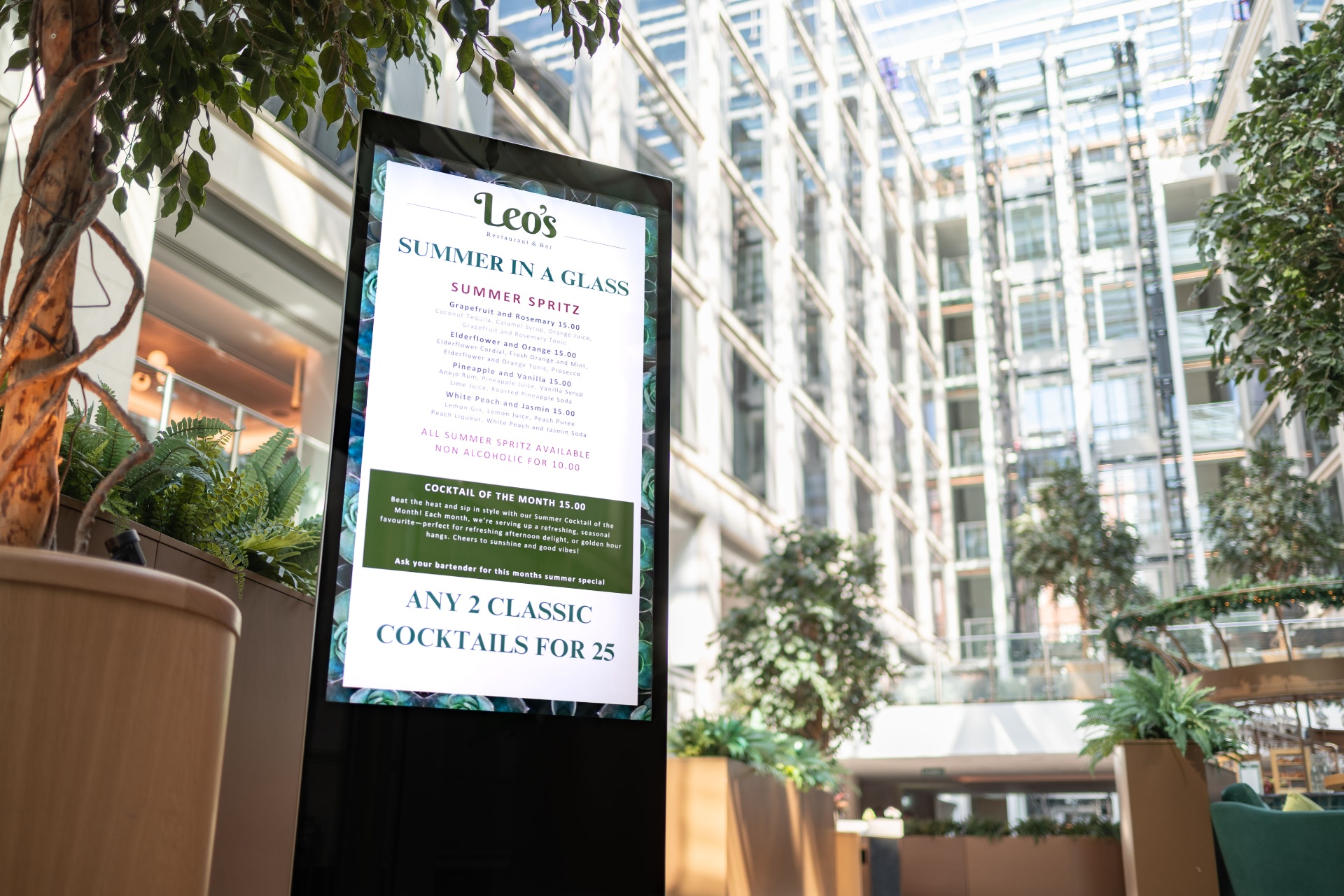
Freestanding Totem & Kiosk

Portrait totem or landscape kiosk, touch optional, no wall fixings required.

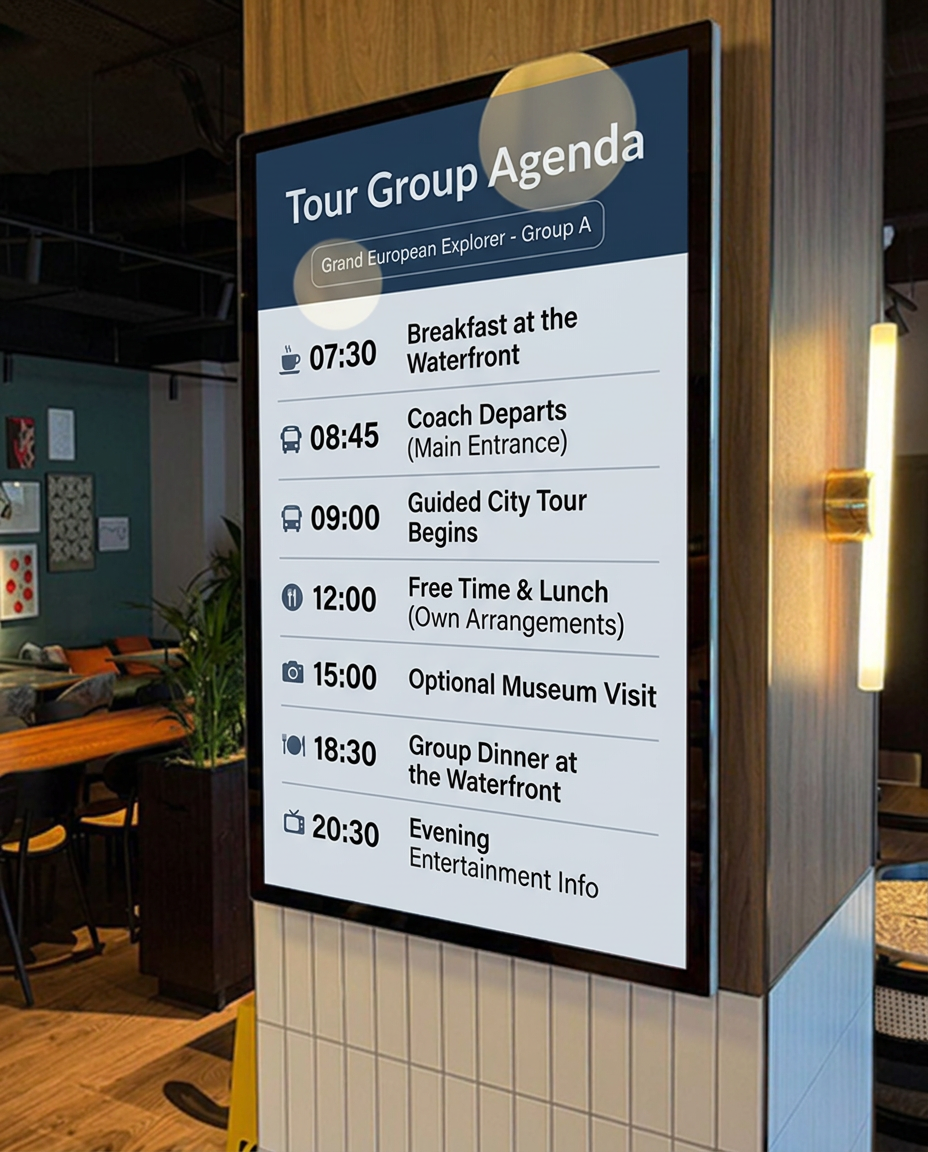
Use: Lobby and entrance. Wayfinding, hotel information and tour group boards where no wall is available.

Toughened Entrance Display

Toughened glass, high brightness, secure mounting with concealed cable and player.

Use: Porte-cochère, coach drop-off and window positions with daylight and public traffic.

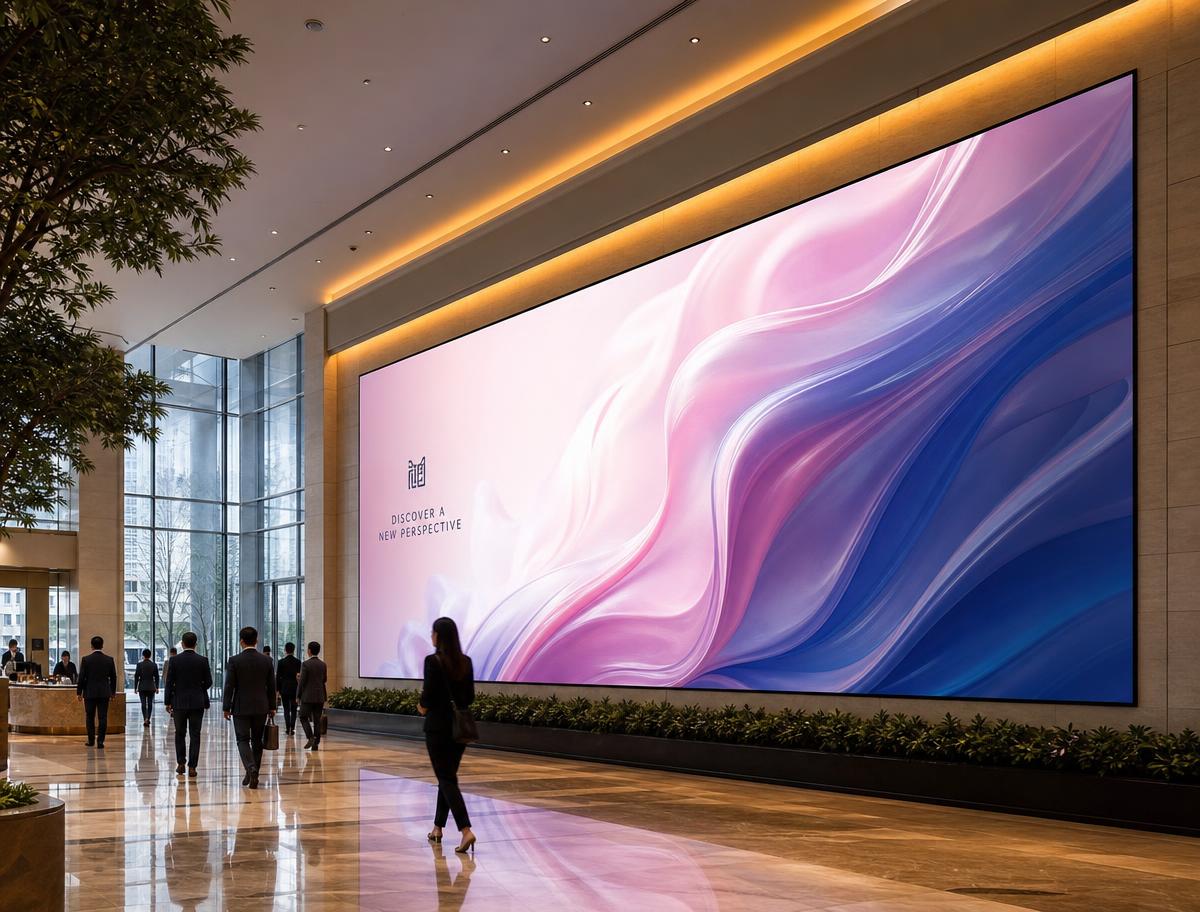
Large Format LED Wall

Fine-pitch indoor LED built to any size, seamless single canvas, bright enough for a glazed lobby.

Use: Statement wall in the lobby or event space, sized to the architecture rather than to a screen bezel.

Selection & Pricing

Final mix of tablets, wall screens, the reception video wall, totems, kiosks and toughened units is agreed position by position during a site walk with PixelGlo. Pricing is confirmed once quantities and mounting are known.

TrouDigital × PixelGlo × Radisson RED06 / 14
06 · Guest Journey

Airport Traffic & Guest Information.

Being the Radisson RED next to Heathrow, with direct terminal transfers, changes what the screens should be doing. A large part of the lobby at any moment is either heading to a flight or has just come off one. Live information earns its place on the wall and takes pressure off the front desk, alongside the everyday hotel information guests ask for.

Live departures, pulled from a feed
Time
Flight
Destination
Term.
Status
07:20
BA 432
Amsterdam
T5
Boarding
07:45
VS 003
New York JFK
T3
On time
08:10
EK 002
Dubai
T3
Gate 22
08:35
LH 923
Frankfurt
T2
Delayed 25m

Illustrative. Departure data comes from a flight information feed, shown full screen on a totem or as a strip alongside brand content on a wall screen or the reception video wall.

Terminal transfers, on screen

Next transfer times, pick-up point and journey time by terminal, sitting next to the departures list. Guests stop asking reception the same question, and late arrivals can see the next service without waiting in line.

Next departure countdown
Pick-up point and stand
Journey time per terminal
Overnight and early service times
Hotel information on screen

The same screens carry the day-to-day information guests ask reception for, updated once and shown wherever it is useful. Group arrivals and coach calls can be added as another board when they are needed.

Breakfast and restaurant timesWhat is on in the hotel todayMeeting and event welcome boardsGym, parking and service informationLate check-out and service noticesWeather and local travel updates
Touch wayfinding and information

A touch totem or kiosk in the lobby answers the questions that reach the desk all day, in the guest's own language, at any hour.

Which terminal, and how long the transfer takesHotel directory, outlets and opening timesMeeting and event room finderLocal London attractions and travelTaxi, tube and rail informationScan to take it with you
QR on screen hands the directions, times or menu to the guest's phone.
TrouDigital × PixelGlo × Radisson RED07 / 14
07 · Safety

Emergency Triggers.

Once every screen in the building runs on one platform, it becomes a safety channel as well as a guest channel. One button takes over every display at once and puts the same instruction in front of everyone in the hotel, then hands the screens back when it is cleared.

One action, every screen

Press once. Reception wall, lobby totems, lift lobbies, corridors, meeting room tablets.

Trigger pressedContent overriddenInstruction on every screenSituation managedAll clearNormal schedule resumes
Fire evacuation

Every screen switches to evacuation instructions and the assembly point, in the languages the hotel needs.

Lockdown or security incident

A single instruction across the building, replacing all commercial content instantly.

Lift or service failure

A pre-built notice on the affected floors only, so guests are informed without a hotel-wide alarm.

All clear

One action returns every screen to its normal schedule, with the resumption logged.

How it works
  • Triggered from a browser, a mobile, a physical button or a call to the helpdesk
  • Integration with the fire panel or building management system where the hotel wants it
  • Overrides everything currently playing, including video walls and meeting room tablets
  • Messages are pre-built and approved in advance, so nothing is written under pressure
  • Scoped to the whole building, a floor, or a single zone
  • Cached on each device, so the message plays even if the network has dropped
  • Audit trail of who triggered it, when, and when it was cleared
  • Restricted to named users, so it cannot be fired by accident
In use · Strand Palace

We built a web based emergency communication system for Strand Palace, letting authorised staff broadcast an urgent message across every connected screen with one click. Scheduled content is overridden by visual and audible alerts telling guests to stay in their rooms, avoid an area or follow other instructions, and staff can issue live updates as the situation develops. Once resolved, screens return to their normal schedules, turning an existing signage network into a central emergency channel.

Worth saying plainly

This does not replace the fire alarm, the voice alarm or the hotel's evacuation procedure. It sits alongside them, adding a visual instruction on every screen for guests who may not speak English, may not hear an announcement, or are standing in a busy lobby with luggage.

TrouDigital × PixelGlo × Radisson RED08 / 14
08 · Reliability

Monitoring & Support.

If the hotel network drops
  • Images and uploaded MP4 files are cached on the device
  • Downloaded content keeps playing, the screen does not go blank
  • New updates are collected automatically once the device reconnects
  • Live web content such as YouTube, embedded websites and live dashboards needs a connection to play
What the dashboard shows
  • Online / offline status per screen
  • Last updated time and connection history
  • Currently assigned playlist
  • Whole-building view by zone and screen type
  • Offline alerts so a fault is picked up before a guest sees it
Example screen report
Location
Screen
Status
Last updated
Playing
Reception
Video wall 3×1
Online
14/08/2026 08:17:35
Brand film · Welcome
Lobby entrance
Portrait totem
Online
14/08/2026 08:17:35
Flight departures · Transfers
Meeting room 4
Door tablet
Offline
12/08/2026 15:42:09
Room schedule (cached)
Restaurant
Wall screen 55"
Online
14/08/2026 08:17:35
Breakfast times · Event board

Illustrative view only. Live reporting is set up against the agreed zone structure during onboarding.

Support

UK helpdesk, watching the estate with you

Hardware, connectivity and platform faults are triaged by TrouDigital rather than landing on the duty manager, with remote device access, fault diagnosis, replacement coordination, training and account reviews.

Email and telephone supportNamed account managementRemote troubleshootingDefined escalationHardware fault diagnosisWarranty and replacementOptional engineer attendanceAgreed response targets
TrouDigital × PixelGlo × Radisson RED09 / 14
09 · Opportunities

Touch & Future Use.

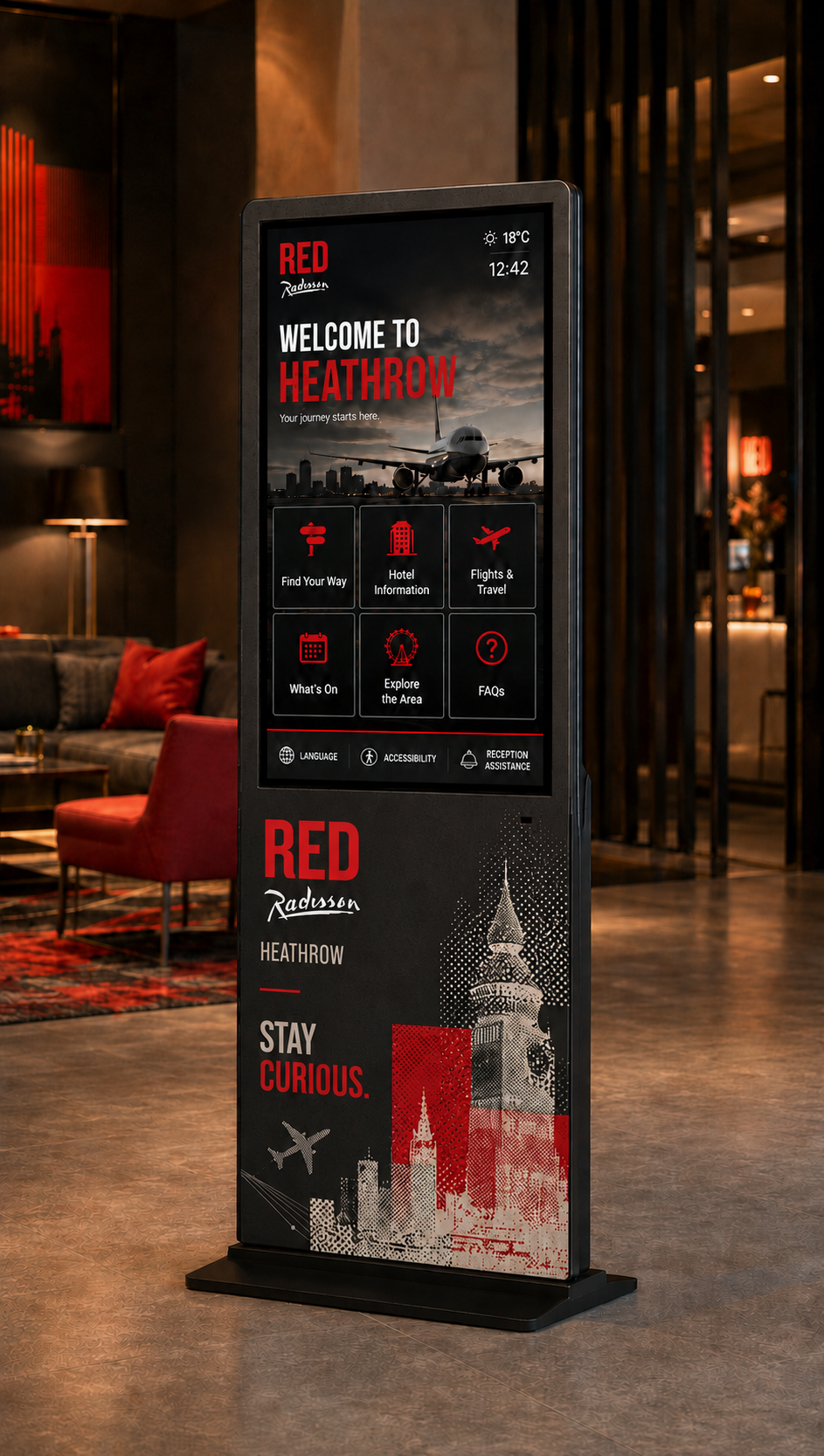
Concept touch kiosk in the hotel lobby
Concept visual · lobby touch kiosk
Touch and interactive content

Touch is part of the standard CMS. Creatives are linked together so a guest moves between pages on the screen, with no separate development work. A touch wayfinding kiosk is built and scheduled the same way as any other screen.

Lobby wayfindingHotel directory and opening timesLocal area and transport informationRestaurant and bar menusGuest feedback stationsSelf-service event check-in
Internal digital noticeboards

Screens in back of house and staff areas carry internal communications. Hotel-wide messages sit in one layer, with each department able to post its own notices to its own staff screens.

Shift briefings and handover noticesTraining and compliance remindersRecruitment and vacanciesRecognition and team newsHealth and safety messagingHousekeeping and kitchen updates
Wayfinding

Totems and touch screens in the lobby and lift lobbies direct guests and delegates to rooms, outlets and transfers, and switch to event-specific directions when a conference is in the building.

Meeting and conference room directionBar, restaurant and gym opening timesEvent and delegate signageLift lobby and floor guidanceCoach and transfer pick-up points
Future opportunities

Not part of the first deployment, but worth keeping a route open to. Bespoke web and API-based experiences can be built later if Radisson RED wants to push the estate further.

Room booking system integrationPMS and group arrival data on screenSponsored and paid-for advertisingSensor and trigger-based contentQR-linked offers to a guest's phone
Portable screens for events and sales

Portable screens on wheeled stands can be moved into the event space for a conference, cache their content in advance and play video without relying on guest Wi-Fi. Useful for delegate welcome boards, sponsor branding and sales show-rounds.

TrouDigital × PixelGlo × Radisson RED10 / 14
10 · Proof

Leonardo Hotels Case Study.

TrouDigital works with Leonardo Hotels across seven sites, including these three Leonardo Royal properties in London. Same platform, same support desk, three very different jobs: conference and event communication, guest wayfinding and dining promotion, and lift lobby messaging floor by floor. Each hotel team publishes its own content.

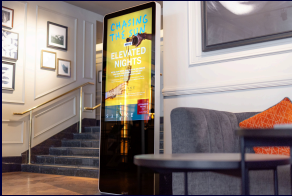
Digital totem in the Leonardo Royal London City hotel
Meeting & conference areas

Leonardo Royal London City

  • Live meeting agendas, room names and event welcomes
  • Events team updates content itself, in real time
  • One consistent, brand-led look across every space
We use TrouDigital's screens throughout our event and conference spaces to welcome guests, promote events and display meeting agendas. It is simple to use and reliable.Umesh, Leonardo Royal London City
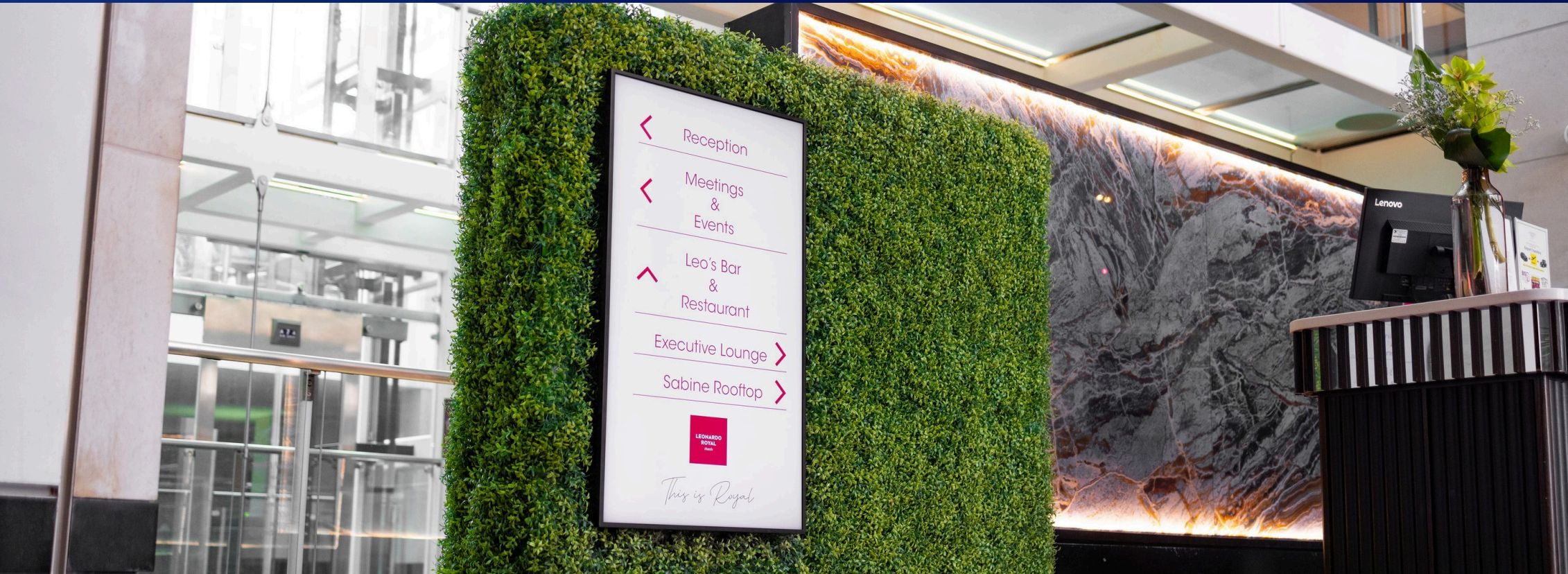
Wayfinding screen in the Leonardo Royal St Paul's atrium
Reception to rooftop

Leonardo Royal St Paul's

  • Wayfinding from reception through to the rooftop bar
  • Dining, promotions and hotel information on screen
  • Meeting room availability pulled from the booking system
  • High brightness displays that hold up in a glass atrium
We use our digital signage screens to share key messages and communicate with our guests. The system is easy to manage and has helped us deliver timely, engaging content across the hotel.Vishant, Leonardo Royal St Paul's
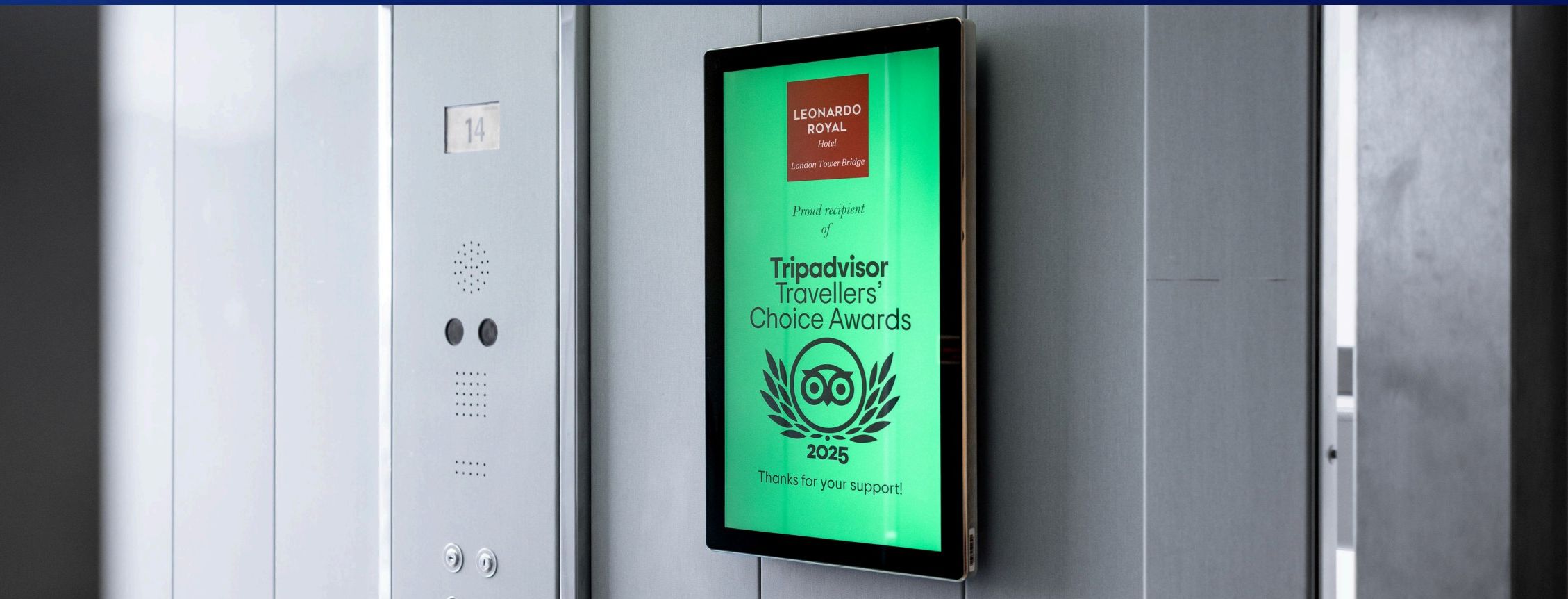
Lift lobby screen at Leonardo Royal Tower Bridge showing an award
Lift lobbies on every floor

Leonardo Royal Tower Bridge

  • Lift lobbies turned into a communication channel
  • Awards, news and offers reach guests between floors
  • Printed notices retired, so nothing goes out of date
The displays are a fantastic way to share hotel updates, celebrate achievements and showcase awards to guests as they move around the building. Seamless from installation through to ongoing support.Leonardo Royal Tower Bridge
Meeting room screensEvent welcomes & agendasWayfindingFood & drink promotionLift lobby screensBooking system integrationCentral content controlUK support desk
TrouDigital × PixelGlo × Radisson RED11 / 14
11 · Migration Concierge

We move the content for you.

Step 01

Add us as a user

The hotel adds a TrouDigital account to the existing signage platform. Read access is enough.

Step 02

We pull the content

Every asset, playlist and schedule currently running is exported by our team, not yours.

Step 03

We rebuild it here

Content is loaded into the new account, screens grouped by area, schedules recreated as they run today.

Step 04

Seamless handover

We switch the screens over out of hours. Nothing goes dark, and the team logs in to a familiar setup.

No rebuilding from scratch, no double-keying and no gap in service. Included as part of onboarding.

TrouDigital × PixelGlo × Radisson RED12 / 14
12 · Commercials

Licence pricing.

Core platform

Digital Signage Licence

£18
per licence / month + VAT
  • Multi-site and regional account structure
  • Hierarchical user permissions
  • Central content library
  • Playlist scheduling
  • Reporting dashboard
  • Standard support
Optional add-on

Dedicated Instance Upgrade

£6
per licence / month + VAT
  • Single Sign-On (SSO)
  • Live flight time integration
  • Live data dashboards
  • Emergency triggers
  • Remote device monitoring
  • Remote troubleshooting
  • Lockdown and kiosk mode
  • Priority support and escalation
Media players

Commercial grade media player

Built for continuous playback in public spaces. Handles video, live dashboards and flight data day after day.

£205
+ VAT per unit

One required per display screen. More secure and more powerful than running content on the display itself. Not required for tablets.

If SSO is required, the upgrade applies to every active licence in the deployment.

TrouDigital × PixelGlo × Radisson RED13 / 14
TrouDigitalPixelGlo
Next steps · 2026
14 · Next Steps

Where we go from here.

Taking the existing tablets and ground floor screens onto one platform proves the workflow quickly, then the video wall, totems and touch positions follow at the hotel's pace.

Step 01
Walk the building

A site walk with PixelGlo to audit the existing tablets and ground floor screens, and mark up the positions for the video wall, totems and touch points.

Step 02
Take over what is there

Bring the meeting room tablets and current screens onto the platform, build the first content set, and hand day-to-day publishing to the hotel team.

Step 03
Add the feature positions

Install the reception video wall, lobby totems and touch wayfinding, connect the live flight feed, and configure the emergency trigger.

To be confirmed during discovery
Existing tablet make & modelScreen positions & sizesReception video wall dimensionsFlight & transfer data sourceMeeting room booking systemZone & permission structureEmergency trigger scope & ownersFire panel or BMS integrationHotel network & VLAN accessRadisson group IT sign-offInstall windows & timescales
TrouDigital and PixelGlo look forward to working with Radisson RED Heathrow to bring every screen in the building onto one managed platform.
In the print dialog, choose Save as PDF.